
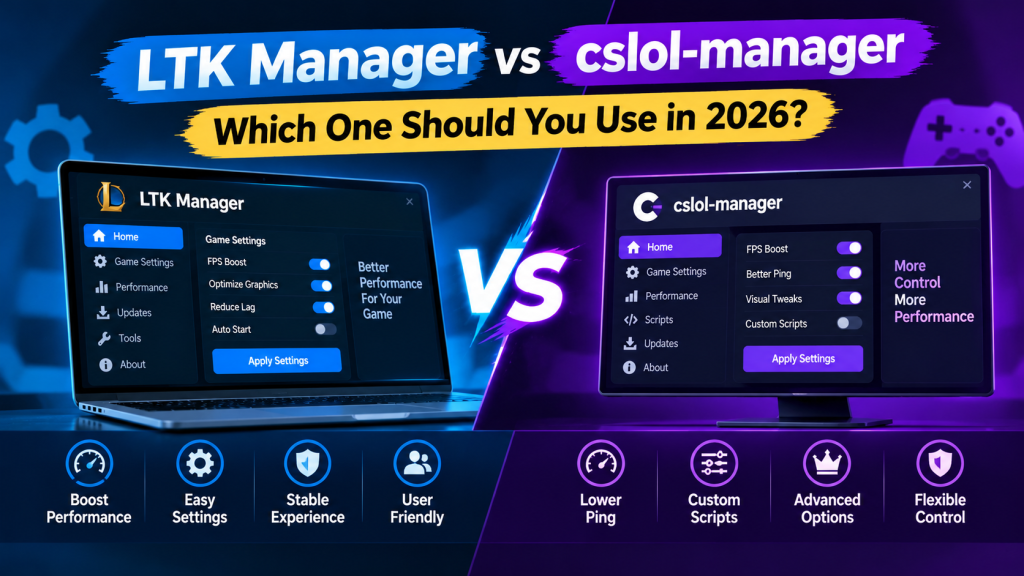
Choosing between LTK Manager and cslol-manager is confusing in 2026, because both tools come from the same League Toolkit team and both manage League of Legends custom skins. The difference is not branding alone. LTK Manager is the actively developed successor, rebuilt with a modern interface, a newer mod format, health checks, profiles, and a built-in Workshop.
Cslol-manager is the older, classic manager, now in maintenance mode, receiving compatibility fixes rather than new features. This comparison explains their differences clearly, covering features, formats, platform support, development status, and safety, so you can choose the right tool for your setup without wasting time on the wrong one. Migration is covered, so existing users know whether old modifications still work after switching.
Read More: What Is LTK Manager and How Does It Work for League of Legends?
The Quick Verdict
For most Windows players in 2026, LTK Manager is the correct choice. It is the tool receiving new features, patch updates, and long-term development, and it handles both modern and legacy modification formats. Cslol-manager remains relevant in one specific situation: players on macOS, where LTK Manager is not yet available for gameplay and cslol-manager still provides macOS builds.
For everyone else, starting with cslol-manager in 2026 means starting with a tool whose future development has already moved elsewhere. Existing cslol-manager users do not lose their modifications by switching, because LTK Manager installs the same .fantome files, so migration is a matter of importing a familiar library into a newer application, not rebuilding a collection from scratch.
Same Team, Different Generations
The confusion is understandable, because this is not a competition between rival companies. Cslol-manager was the League Toolkit team’s original mod manager, built as a native desktop application for installing and managing custom skins using the Fantome format. Over many years and more than forty releases, it became the standard tool for League custom skins. LTK Manager is its successor, rebuilt from scratch with a modern backend and interface, and launched in early 2026.
Its own documentation describes it as the frontier mod manager for League of Legends, with a central goal of supporting modifications so they continue working without breaking between patches. The older tool has not been deleted or abandoned overnight, but its own documentation now states clearly that it is in maintenance and deprecation mode, and that significant new development has shifted to LTK Manager. That single fact explains most of the practical differences below.
Interface and Everyday Use
Cslol-manager uses a classic desktop interface that long-term users will recognize immediately. It presents a mod collection with filtering, enables modifications with checkboxes, and follows a familiar workflow of importing a file, enabling it, and running the patcher before launching League. LTK Manager uses a modern, card-based library with search, folders, and sorting, which makes a large collection easier to browse and maintain. Its default workflow feels familiar to cslol-manager users, because importing, enabling, and starting the patcher remain the core steps, but the surrounding experience is more organized.
Its one-button Play flow, which builds modifications, starts the patcher, and asks the Riot Client to open League, is still described as experimental, so users should treat the traditional Start and launch sequence as the reliable method. For new users, LTK Manager’s library is easier to learn. For experienced cslol-manager users, the change is one of presentation and additional tools, not a completely new way of working.
Modification Formats
Format support is one of the clearest technical differences. Cslol-manager works primarily with .fantome files, the established ZIP-based format from the cslol era, and most modifications on distribution sites are still packaged in that format. LTK Manager installs .fantome files in the same way, so legacy content is not lost, and it also supports its own newer .modpkg format. A .modpkg package carries full metadata, including name, version, authors, description, and thumbnail, and it supports layers that can be toggled individually.
Some .zip packages are also supported, depending on their contents and the application version. In practical terms, LTK Manager therefore covers everything cslol-manager covers, plus a modern format designed for richer metadata and more flexible modification design. Players who create modifications, or who download directly from authors rather than through a distribution site, will encounter .modpkg more frequently, while players who browse large skin catalogs will still encounter .fantome most often.
Library, Profiles, and Mod Creation
Both tools support multiple modification profiles, allowing different combinations of enabled modifications to be maintained and switched. LTK Manager extends this idea with a more visual library, folders, search, and sorting, which becomes increasingly valuable as a collection grows beyond a handful of skins. Its most distinctive addition is the integrated Workshop, a creation environment for browsing game archives without extracting them, searching any game file, editing structured files, testing a modification in game, and packaging it as a .modpkg file.
Cslol-manager also includes mod creation and packaging tools, but its creation workflow reflects its older architecture and interface. For players who only install finished skins, this difference is minor. For players who want to create, edit, or learn how modifications are built, LTK Manager provides a substantially more modern starting point.
Health Checks, Diagnostics, and Patch Handling
League patches regularly rewrite game archives, and patch day is where the generational difference becomes most visible. LTK Manager checks each modification on import and again after a game patch, repairs what it can with a single action, and clearly identifies modifications that cannot be fixed, so problems are discovered before a match rather than during it. Its diagnostics page provides additional information when a modification fails to load. Cslol-manager relies on more traditional management utilities, and its patcher compatibility has historically depended on periodic DLL refreshes to keep pace with new League builds.
In 2026, that contrast matters because LTK Manager’s release cadence follows League patches closely, with frequent updates during periods of rapid game change, while cslol-manager’s recent releases have been maintenance updates focused on compatibility rather than new features. Neither tool can guarantee that an individual modification will survive every patch, because patches can change the specific game files a modification replaces, and in those cases the modification author must update the content itself.
Development Status in 2026
Development status should weigh heavily in a 2026 decision, because a mod manager is only useful as long as its patcher keeps pace with the game. LTK Manager was first released in February 2026 and has since shipped rapidly, with dozens of releases between April and October 2026, including updates tied directly to new League patches. Its latest version at the time of this comparison’s research was 1.31.1, released in late October 2026.
Cslol-manager’s most recent release was in April 2026, and it shipped no new releases in the following months, consistent with its stated maintenance mode. This does not mean cslol-manager stopped working immediately, but it does mean that if a future League update breaks its patcher, users should expect maintenance, not new development, as the response. Choosing LTK Manager is therefore also a choice about future patch support, not only about present features.
Platform Support
Platform support is the one area where cslol-manager still holds a clear advantage. LTK Manager is designed for Windows 10 and Windows 11, 64-bit, and it lists macOS and Linux as planned rather than available. Cslol-manager provides Windows builds and also ships macOS builds for both Apple silicon and Intel hardware, which makes it the only practical option among the two for Mac players at present.
That advantage comes with a caveat, because Mac support in the older tool has also faced patch-related issues, and users should expect more trial and error than on Windows. Linux support is not a deciding factor between these two tools for gameplay, since LTK Manager does not yet support playing with modifications on Linux, and cslol-manager is not positioned as a Linux gameplay solution either. For Windows players, platform support does not change the verdict. For Mac players, it temporarily reverses it.
LTK Manager Advantages at a Glance
The advantages below summarize why LTK Manager is recommended for most players, without repeating every feature in detail. They are most relevant to new users, to players with large libraries, and to anyone who wants the tool most likely to remain compatible with future League patches.
- A modern, visual library with search, folders, sorting, and multiple profiles for different modification combinations.
- Support for both .modpkg and .fantome formats, so legacy modifications continue to work alongside newer packages.
- Mod health checks after import and after patches, with one-press repair where possible and clear reporting of unfixable problems.
- An integrated Workshop for browsing game archives, editing modifications, and packaging them in the modern format.
- Active development with frequent releases tied to League patches, rather than maintenance-only updates.
- Install-from-link support, allowing compatible mod sites to offer direct installation into LTK Manager after the user trusts that site.
Who Should Choose Which Tool?
The decision becomes simple once platform and experience are considered together. The guidance below covers the situations most players actually face, rather than treating the two tools as equal alternatives.
- Choose LTK Manager if you play on Windows and are installing a mod manager for the first time, because it is the actively developed tool with the modern library, formats, and patch support.
- Choose LTK Manager if you already use cslol-manager on Windows and want the best chance of remaining compatible with future League patches, because your .fantome modifications will import directly.
- Choose cslol-manager only if you play on macOS and need a working manager now, because LTK Manager is not yet available for macOS gameplay.
- Stay with cslol-manager temporarily only if you have a specific, working setup that you do not want to disturb before an important session, and plan the switch to LTK Manager afterward rather than treating the older tool as a permanent choice.
- Choose LTK Manager if you create modifications or want to learn creation, because its Workshop, modern format, and diagnostics provide a substantially better starting point.
Migration: Do Old Mods Still Work?
Yes, in the sense that matters most. LTK Manager installs .fantome files the same way cslol-manager does, so an existing collection does not need to be re-downloaded or converted. Migration involves installing LTK Manager, allowing it to detect the League installation, importing existing .fantome files by dragging them onto the manager window or using Import, enabling the desired modifications, and starting the patcher before launching League as usual.
Profiles and library organization from the older tool should be treated as a fresh setup in the new library, rather than an automatic transfer, so users should expect to spend a few minutes re-creating their preferred combinations. After migration, a health check is worthwhile, because it can identify modifications that are outdated, duplicated, or incompatible with the current game version before they cause problems in a match.
Safety: Is One Tool Safer Than the Other?
Neither tool can be described as officially safe, because Riot Games does not endorse custom modifications, and both tools state that users proceed at their own risk. Both are open-source, and both manage fan-made visual modifications that change only what the individual player sees. The safety difference is therefore not about one tool being approved and the other being banned, but about how each tool handles risk. LTK Manager’s health checks, diagnostics, and active patch support reduce the likelihood of broken or outdated modifications causing errors, and its modern format carries clearer metadata about authorship and version.
Cslol-manager’s older workflow offers fewer of those safeguards, although its core approach remains file-based rather than injection-based. Neither tool makes paid skin unlocking safe, and neither should be combined with tools designed to display Riot skins without purchase. For account safety, the decisive factors remain the same regardless of manager: fan-made modifications only, trusted sources only, small enabled libraries, and immediate cessation after any warning.
Conclusion
In 2026, the comparison is less a contest than a transition. Cslol-manager earned its reputation over many years as the standard League mod manager, and it remains a functional, familiar tool, particularly for Mac players who have no newer alternative yet. LTK Manager, however, is where the League Toolkit team’s development, patch support, modern formats, health checks, and creation tools now live. For Windows players, for new users, for large libraries, and for creators, LTK Manager is the clear recommendation. For Mac players, cslol-manager remains the practical choice until LTK Manager’s planned macOS version arrives. For existing Windows users of cslol-manager, migration is straightforward, because the modifications themselves carry over, and the only real change is a better manager around them.
Pingback: Fix LTK Manager Not Working After a League Patch
Pingback: How to Fix LTK Manager Not Working After a League of Legends Patch?